Web App

Building a toll calculator for a turnpike
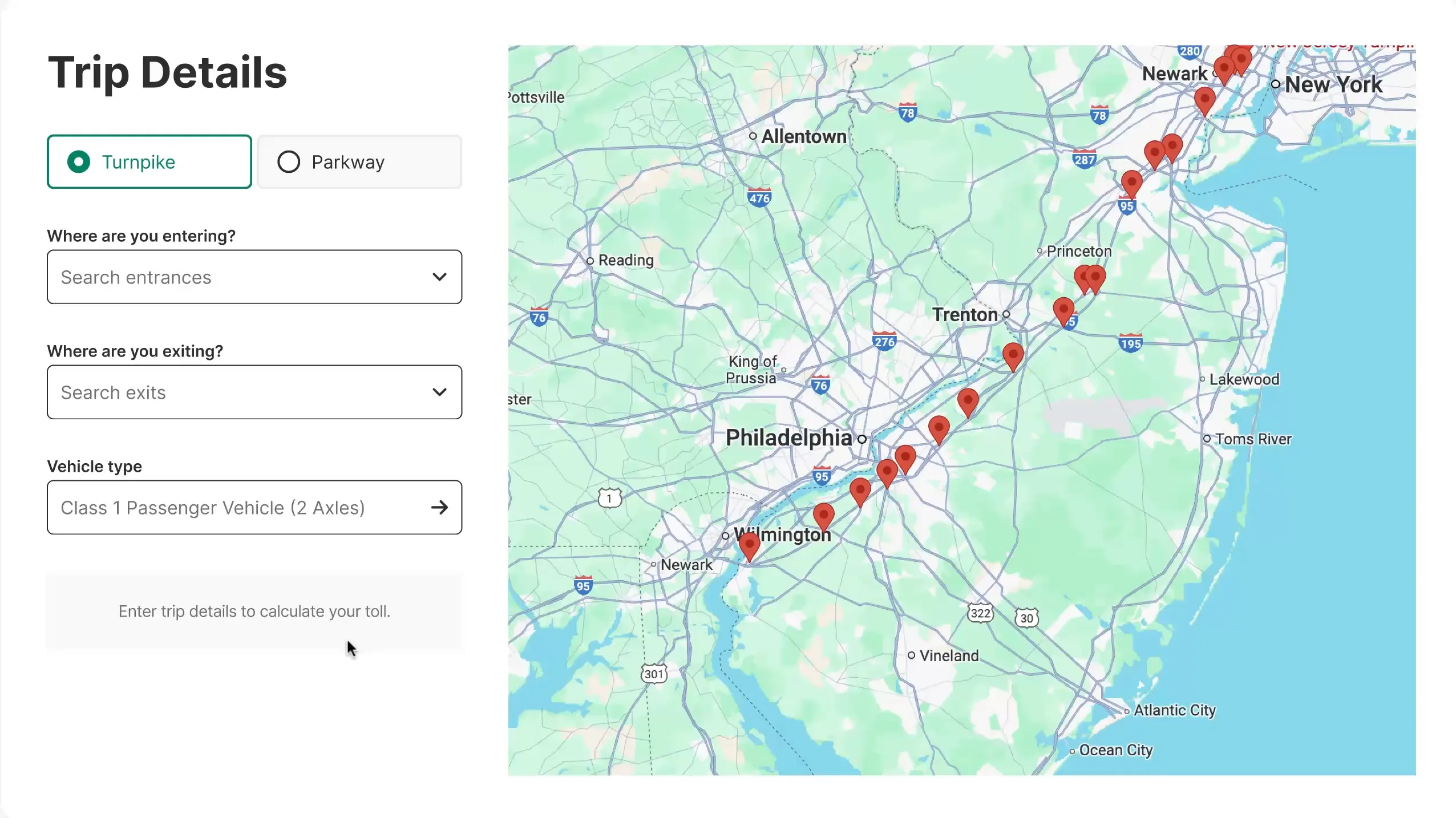
Poster frame for a video about the toll calculator, with trip fields beside a map of turnpike exits.

Summary

New Jersey Turn Pike Authority came to us for a full website redesign and also wanted to digitize several of their tools online tools, chiefly the very high-trafficked toll calculator. The tool was used by commuters and truckers alike.

We’ve made several improvements beyond the basic toll calculations, moving the app into more of a comprehensive trip planner.

  • Google map to allow entires and exits from turnpike to be selected visually.
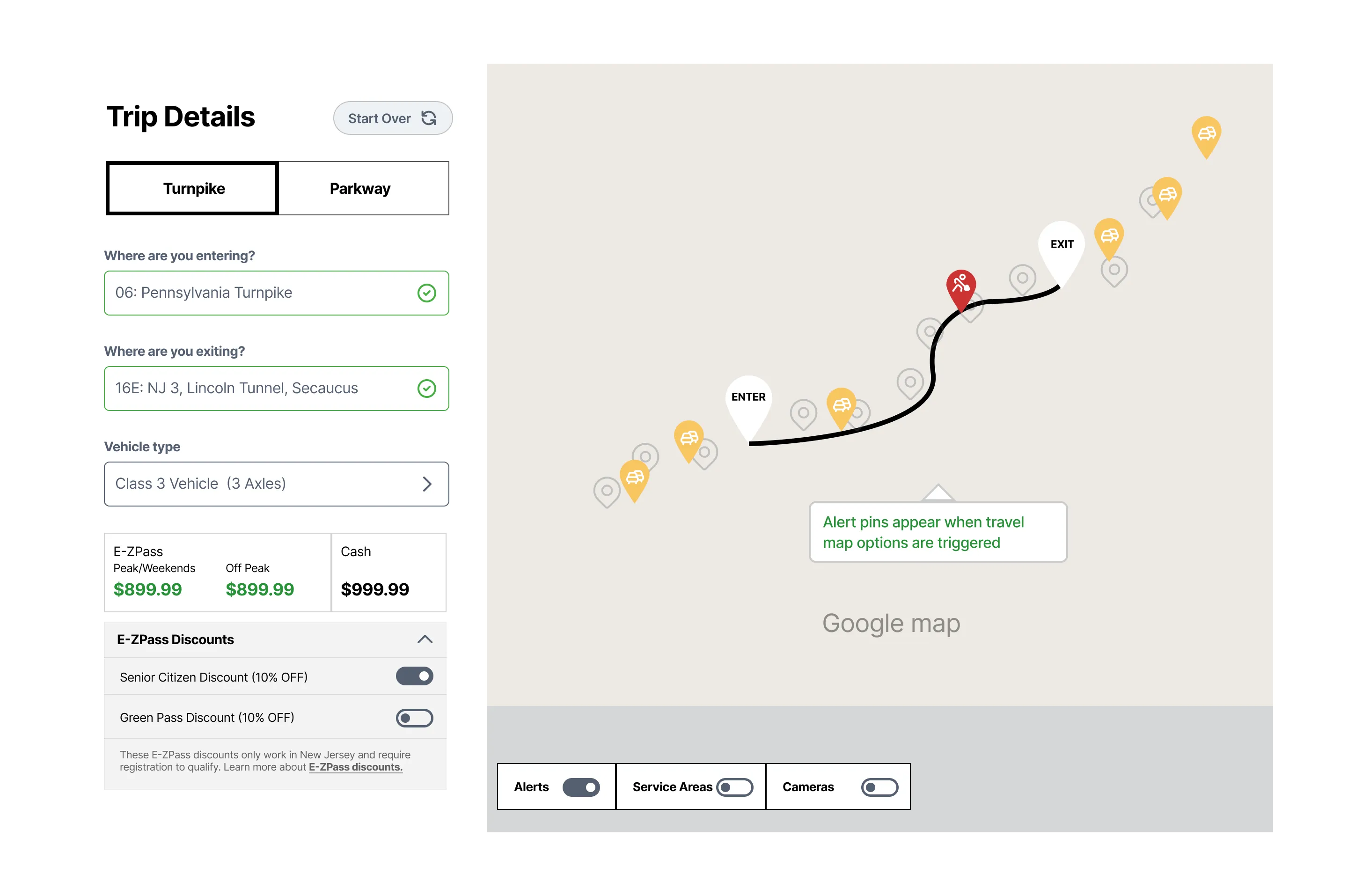
  • Traffic alerts and live cameras shown along the user’s route to inform about potential delays
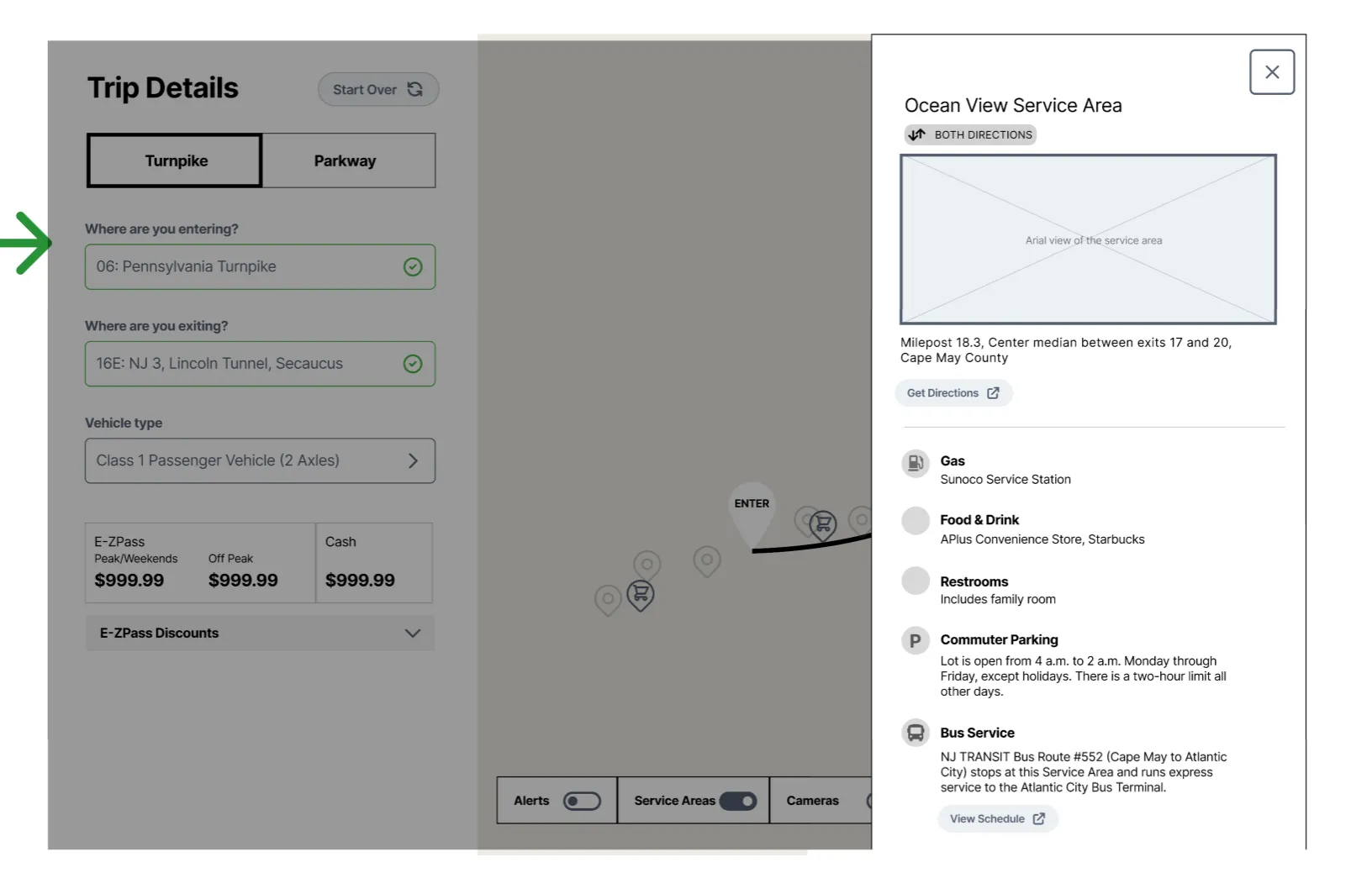
  • Service areas and gas stations along user’s route
  • Dynamically applied discounts

Nothing too crazy, but the tool turned out well.

Client: NJTA

Role: UX Lead

Activities:

  • Research & discovery
  • Wireframes
  • Interaction design

Screens

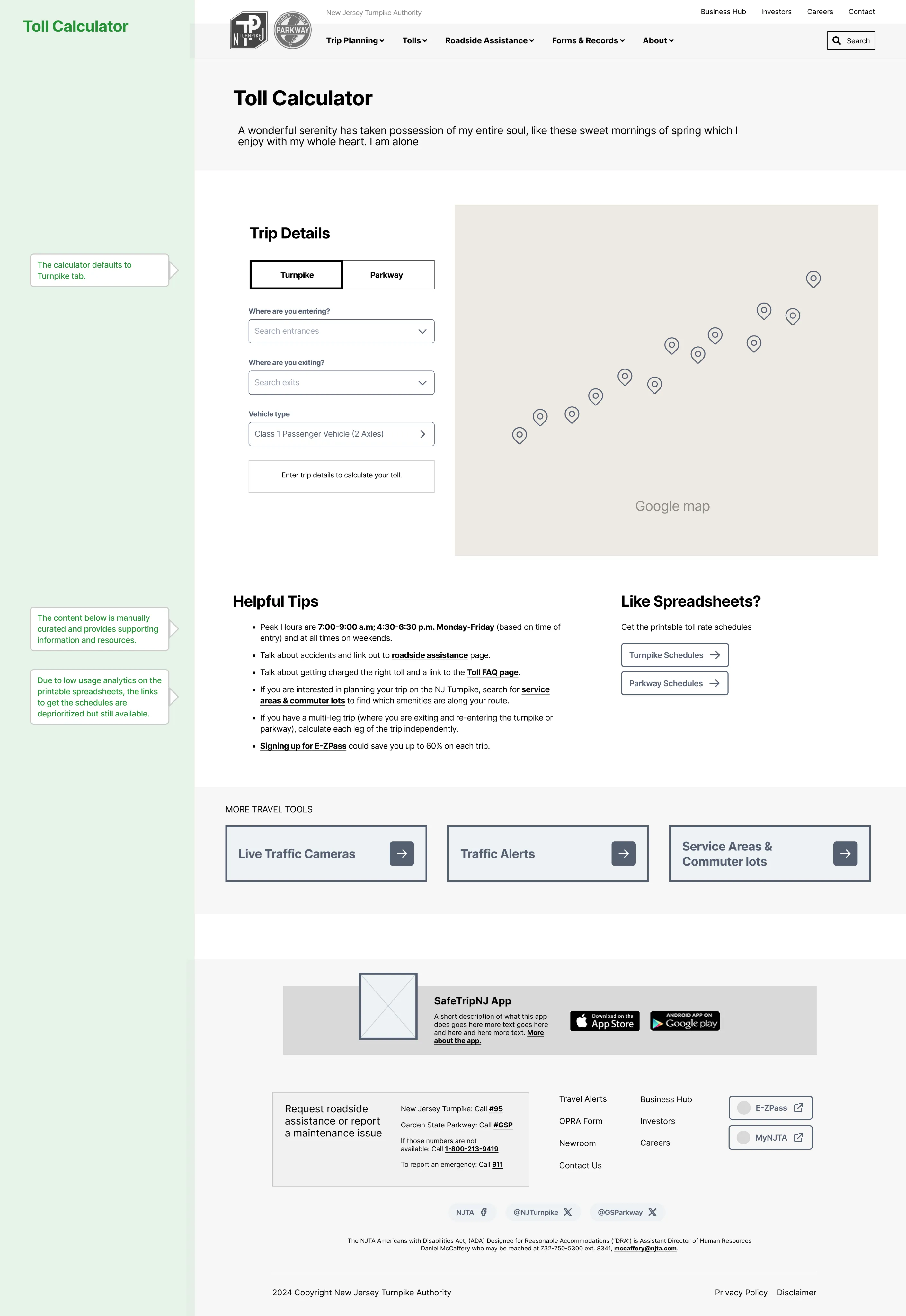
Full-page wireframe of the Toll Calculator page with trip details, a map and helpful tips.

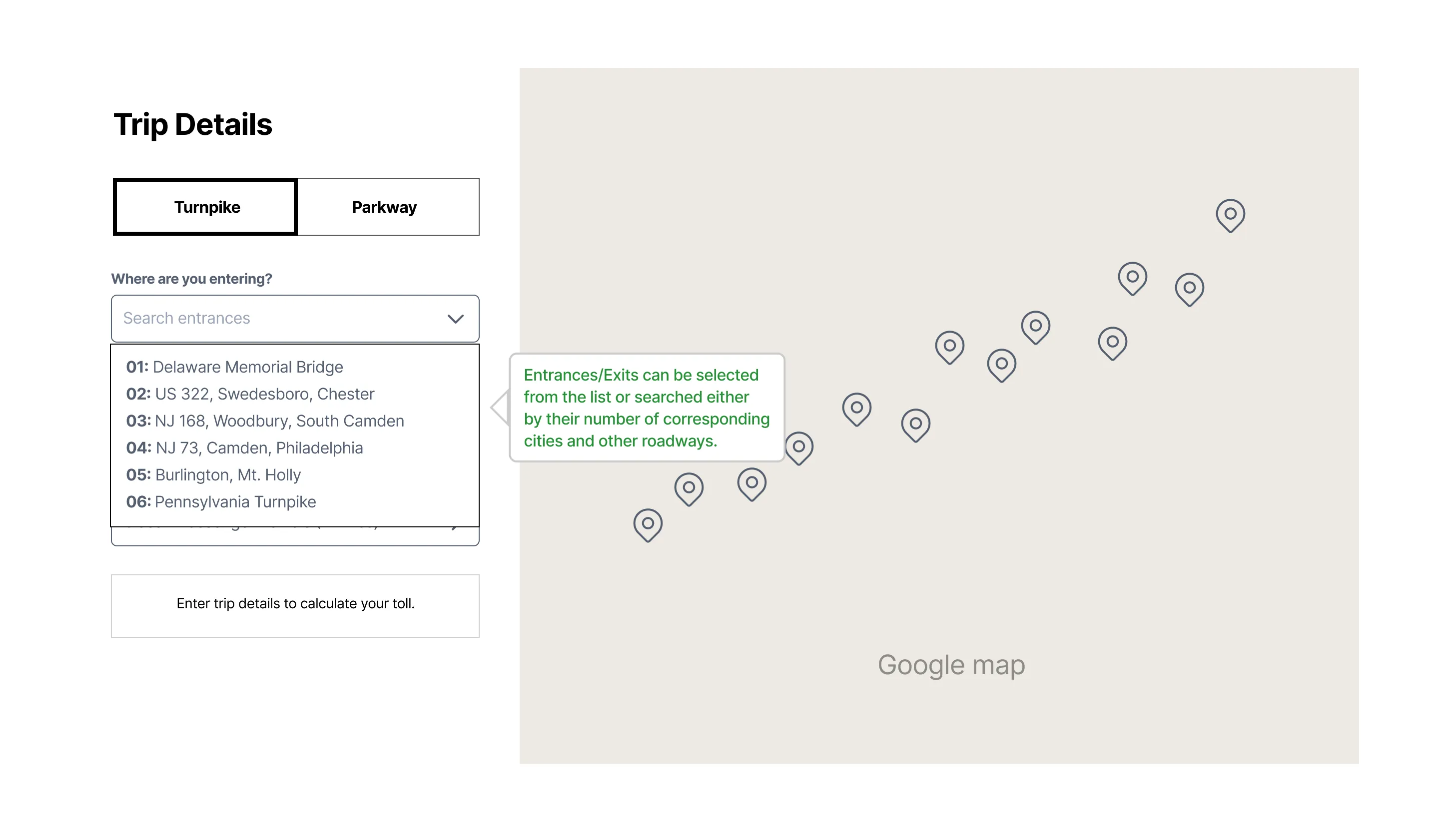
Toll calculator wireframe with the entrance dropdown open and a note on how to search exits.

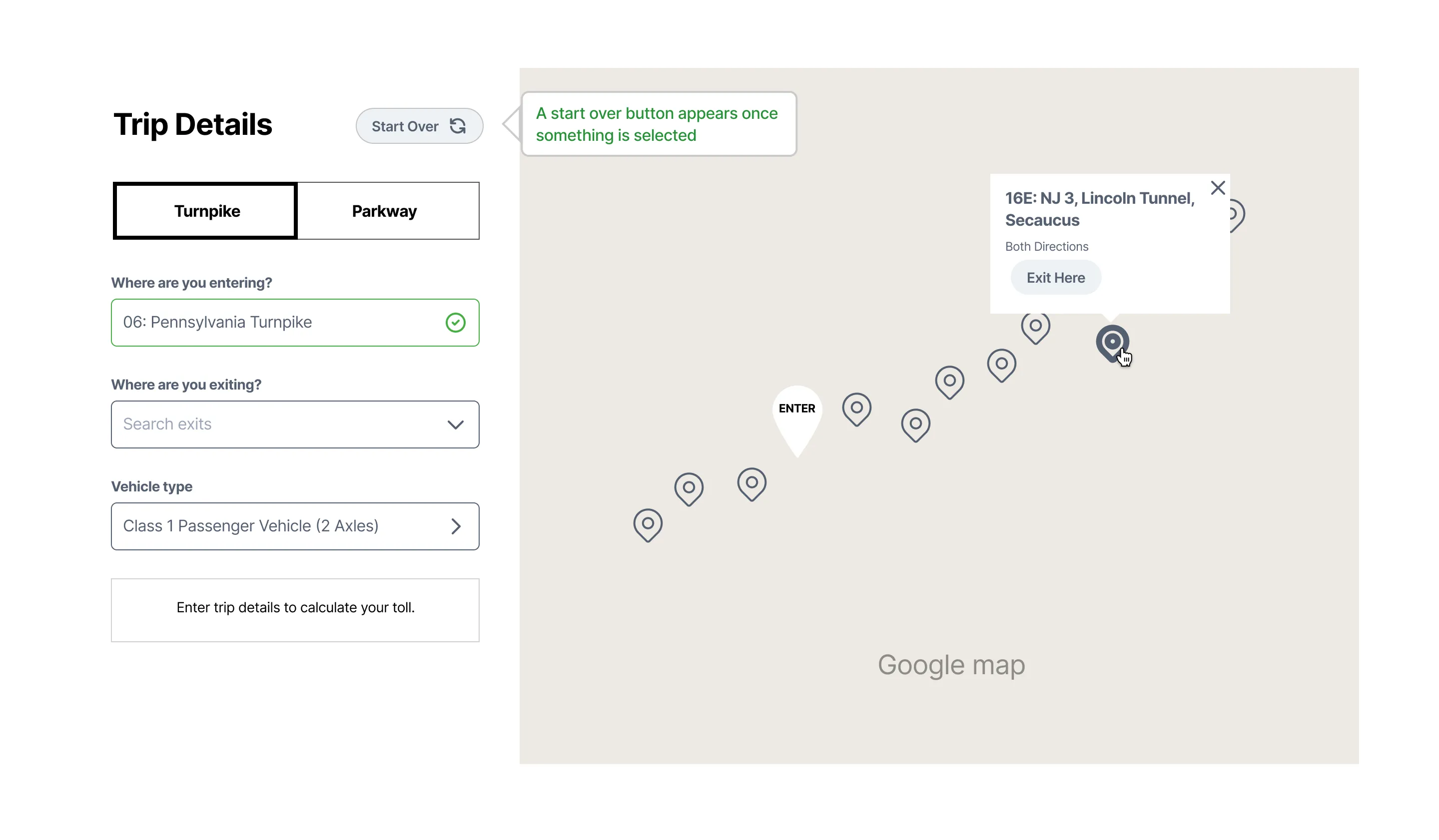
Toll calculator wireframe with an entrance chosen and an exit popup open on the map.

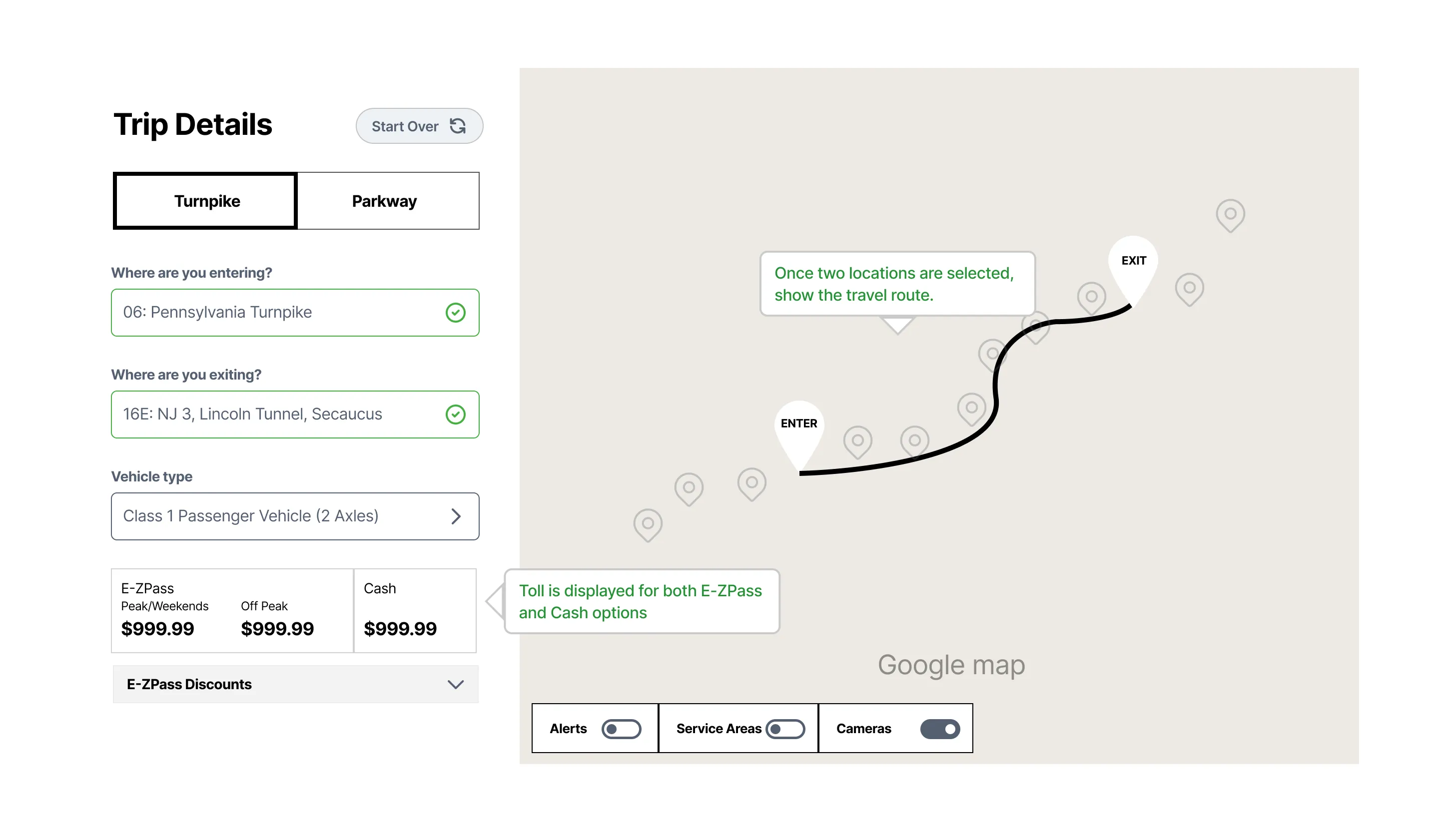
Toll calculator wireframe that shows the route on the map and E-ZPass and cash tolls.

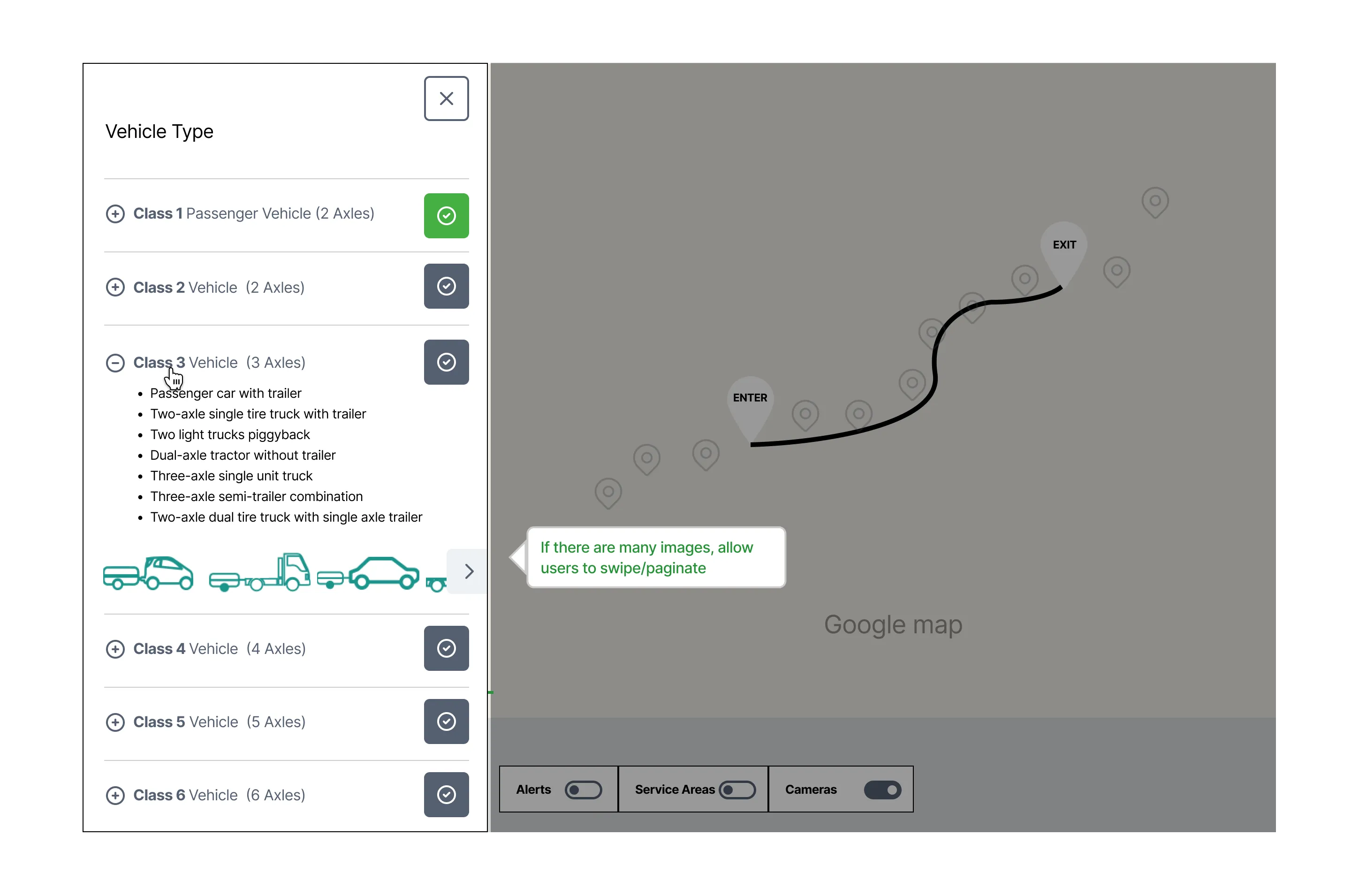
Vehicle type panel that lists vehicle classes by axle count, with example vehicle drawings.

Toll calculator wireframe with E-ZPass discount toggles and traffic alert pins along the route.

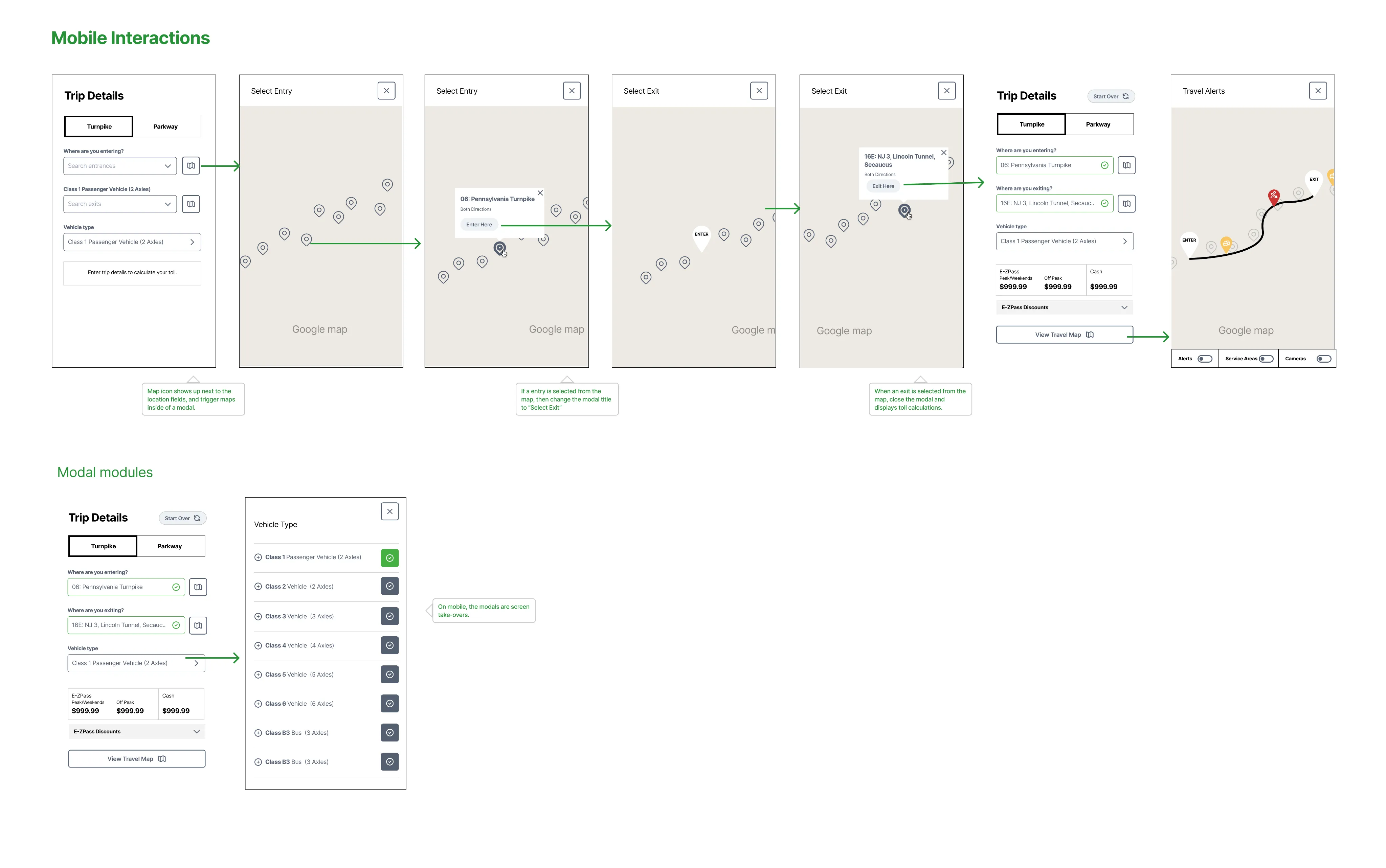
Flow of mobile toll calculator screens, from choosing an entry and exit to travel alerts.

Service area panel that lists gas, food, restrooms, parking and bus service next to the map.

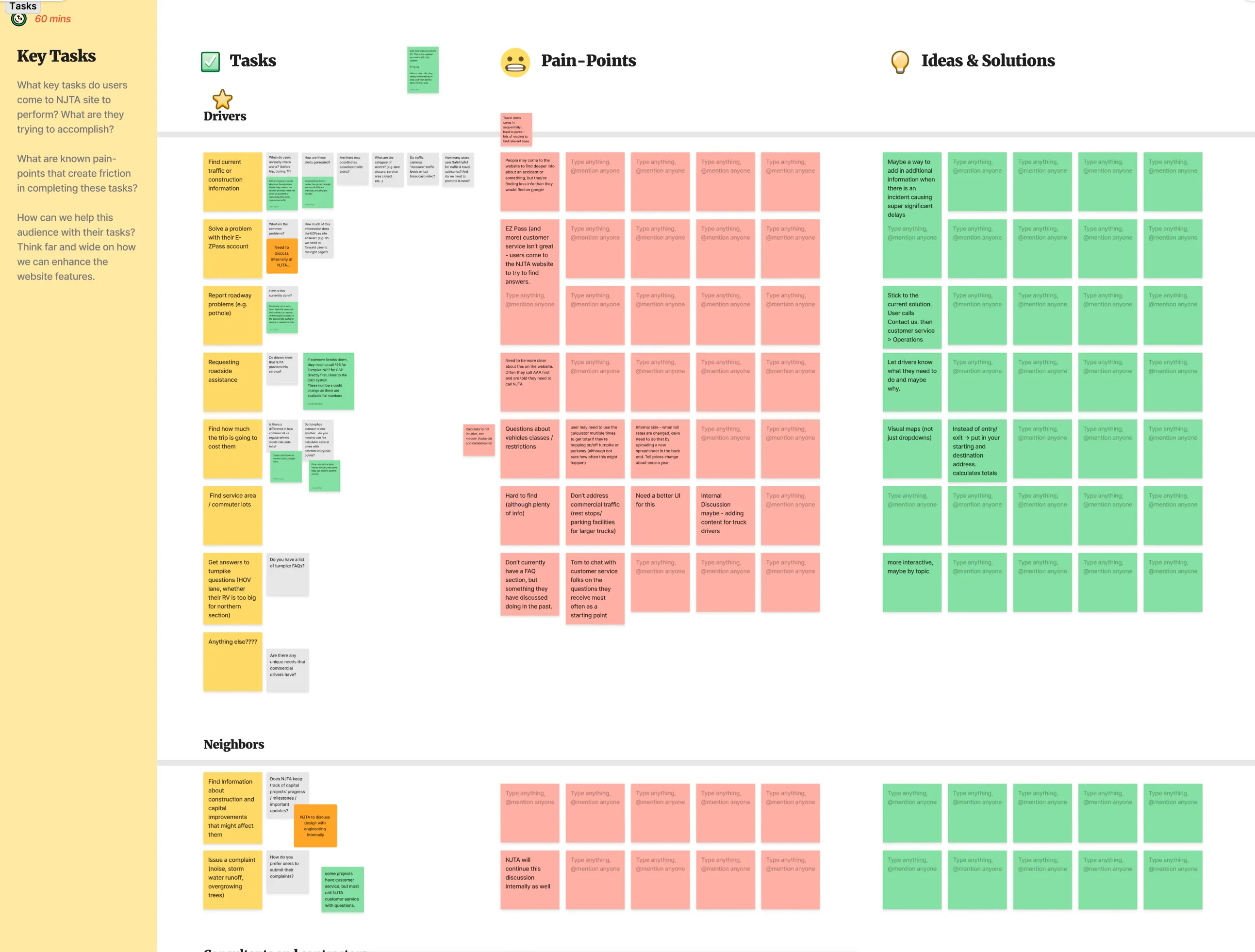
Workshop board of sticky notes that sorts driver tasks, pain points and ideas into columns.